

The Nyx tutorial is the guided, hands-on path: it walks through writing real policies against a sample app, working through audit mode, and running attack simulations. This Quickstart just gets Nyx installed and observing. Start here, then move to the tutorial.
Prerequisites
Before you start, you’ll need:- An AMD64 Linux Kubernetes cluster with a kernel of 5.15 or newer (for eBPF/TC enforcement) — AKS, EKS, GKE, or self-managed
kubectlconfigured for that cluster- Helm 3.8 or newer
1
Create your Scout account
Sign up at app.tracenyx.ai. You’ll receive a magic link by email — follow it and set a password.Once you’re in, the dashboard shows your personal install command, pre-filled with your Scout key. If your cluster has Windows nodes, select the Windows nodes option to get the additional Windows install command alongside it.
2
Install Nyx
Copy the install command from your dashboard and run it. It looks like this:What the flags do:
Your dashboard generates this command fully populated with your Scout key and image pull credentials. Copy it from there rather than assembling it by hand — the credentials are unique to your account.
oci://tracenyxcharts.azurecr.io/helm/nyx— the Nyx Helm chart, pulled from the public Tracenyx registry--namespace nyx-system --create-namespace— Nyx’s components run in their own namespaceglobal.scout.key— your Scout license key; binds this cluster to your accountglobal.image.registrywithpullUsername/pullPassword— credentials for pulling the Nyx container images
3
Verify the install
Check that everything came up:You should see one Confirm the CRDs registered:
nyx-agent pod per node and one nyx-gatekeeper pod:4
Connect your kubectl identity
Nyx’s admission webhook needs to recognise your kubectl user so it can authorise policies you apply from the command line. The dashboard prompts you for this on first login — you can also find it later under Settings → My Account.Find your Kubernetes username:Paste the result into the dashboard and confirm. Nyx binds that identity to your account — from this point, applying policies works the same whether you use
kubectl or the dashboard, and both show up under the same identity in the audit log.5
See your cluster
Open the dashboard and go to the Traffic Map. Nyx is now watching every flow in your cluster and rendering it live.Nothing is blocked yet — you haven’t applied any policies. This is Nyx in its observing state: full visibility, zero enforcement. It’s the right place to start, because you can understand your real traffic before you write a single rule.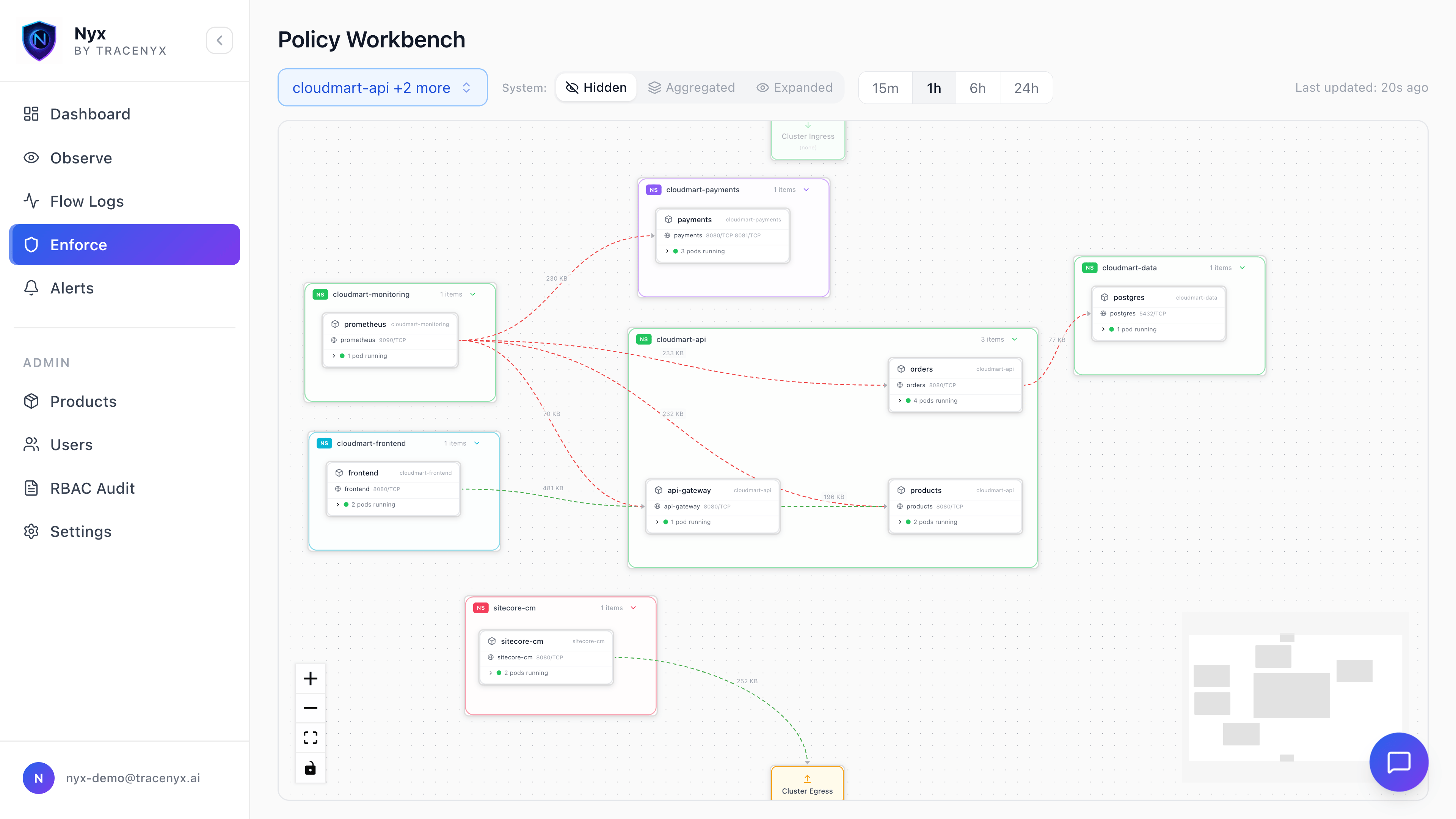
Next steps
You’ve got Nyx installed and observing. Here’s where to go next:Nyx Tutorial
The full hands-on path — write real policies against a sample app, work through audit mode, and run attack simulations.
Core Concepts
The mental model behind Nyx: tiers, priority bands, and enforcement modes.
NyxNetworkPolicy Reference
The full CRD schema for namespace-scoped policies.
Hardening Guide
Workload identity and intra-namespace deny — production best practices.