> ## Documentation Index
> Fetch the complete documentation index at: https://docs.tracenyx.ai/llms.txt
> Use this file to discover all available pages before exploring further.
# Welcome to Nyx
> AI-powered, kernel-native network security for Kubernetes — policy enforcement and traffic observability with no sidecars.
Nyx is a network security engine for Kubernetes. It enforces network policy and surfaces full traffic observability directly from the kernel — eBPF on Linux nodes and the Windows Filtering Platform on Windows nodes — with no sidecars and nothing proxying your data path.
You write policy as Kubernetes-native custom resources, Nyx evaluates it in-kernel, and you see every flow it observes in real time. Because enforcement and observability come from the same engine, you can start by watching your cluster's real traffic and move to enforcing rules whenever you're ready.
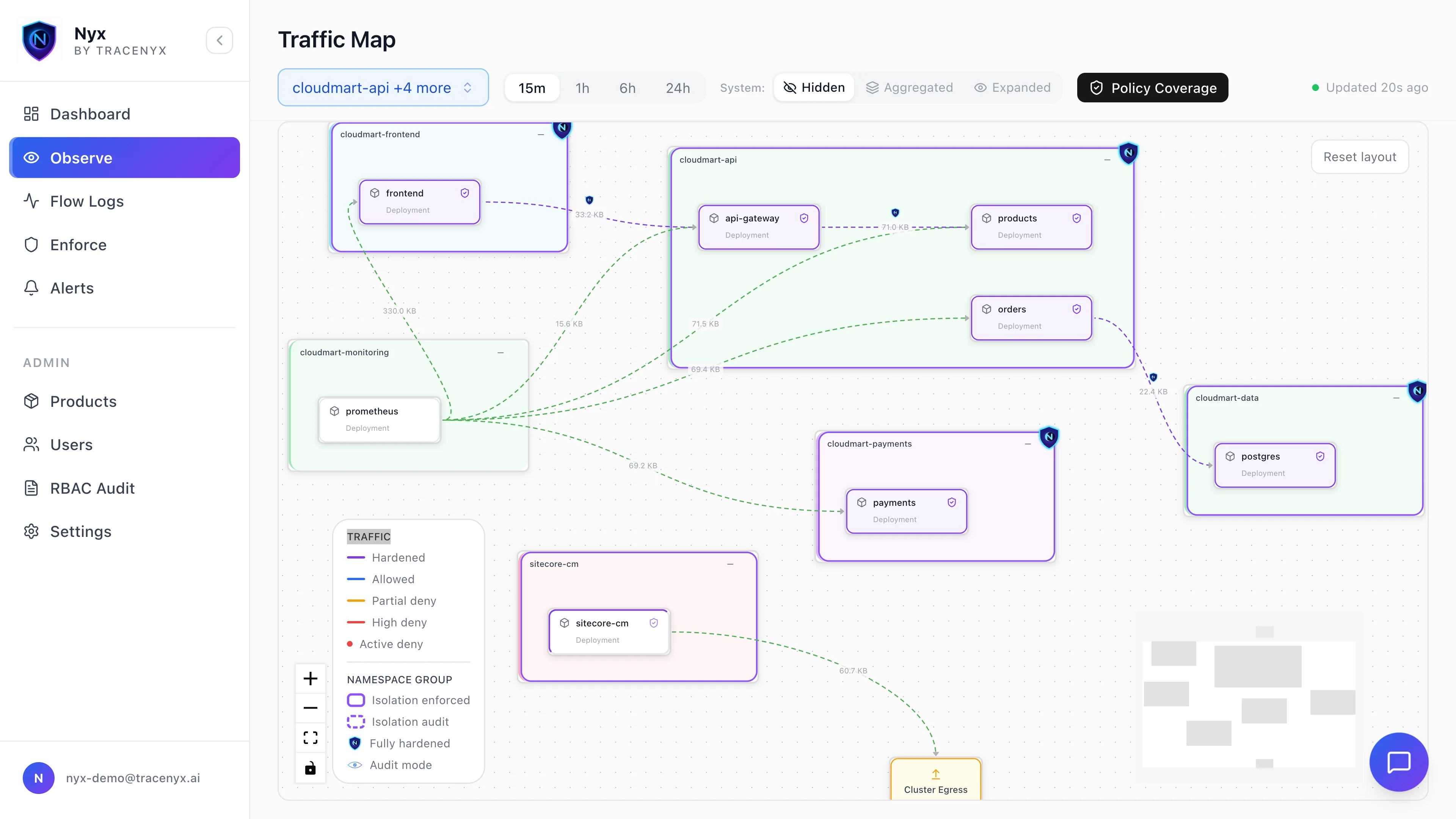 ## What sets Nyx apart
**Kernel-native, no sidecars.** Nyx runs as just two components — the `nyx-agent` DaemonSet and the `nyx-gatekeeper` admission webhook. Enforcement happens in the kernel, so there's no per-pod proxy, no injected containers, and no data-path latency tax.
**Observe before you enforce.** Every policy runs in one of three modes — dry-run, audit, or enforce — so you can validate a rule against live traffic before it ever blocks a packet. Nyx shows you exactly what *would* happen before it happens.
**Cross-platform by design.** The same policy model and the same enforcement semantics apply whether a workload runs on a Linux or a Windows node.
**Ask your network questions.** Nyx's AI assistant lets you query your traffic in plain language — *"which pods tried to reach the internet in the last hour?"* — and turn the answers into dashboards and alerts.
## Get started
New to Nyx? The fastest path is the Quickstart — it gets Nyx installed and observing your cluster in about ten minutes. From there, the [tutorial](https://github.com/tracenyx/nyx-demo) walks through writing real policies hands-on.
Install Nyx and see live cluster traffic in about ten minutes.
Tiers, priority bands, and enforcement modes — the model behind every policy.
The full schema for NyxNetworkPolicy and NyxClusterNetworkPolicy.
Workload identity and intra-namespace deny for production clusters.
## What sets Nyx apart
**Kernel-native, no sidecars.** Nyx runs as just two components — the `nyx-agent` DaemonSet and the `nyx-gatekeeper` admission webhook. Enforcement happens in the kernel, so there's no per-pod proxy, no injected containers, and no data-path latency tax.
**Observe before you enforce.** Every policy runs in one of three modes — dry-run, audit, or enforce — so you can validate a rule against live traffic before it ever blocks a packet. Nyx shows you exactly what *would* happen before it happens.
**Cross-platform by design.** The same policy model and the same enforcement semantics apply whether a workload runs on a Linux or a Windows node.
**Ask your network questions.** Nyx's AI assistant lets you query your traffic in plain language — *"which pods tried to reach the internet in the last hour?"* — and turn the answers into dashboards and alerts.
## Get started
New to Nyx? The fastest path is the Quickstart — it gets Nyx installed and observing your cluster in about ten minutes. From there, the [tutorial](https://github.com/tracenyx/nyx-demo) walks through writing real policies hands-on.
Install Nyx and see live cluster traffic in about ten minutes.
Tiers, priority bands, and enforcement modes — the model behind every policy.
The full schema for NyxNetworkPolicy and NyxClusterNetworkPolicy.
Workload identity and intra-namespace deny for production clusters.