> ## Documentation Index
> Fetch the complete documentation index at: https://docs.tracenyx.ai/llms.txt
> Use this file to discover all available pages before exploring further.
# Products
> Group namespaces into products, and control who on your team can see and act on them.
A **product** is a named group of namespaces — the slice of a cluster a particular team cares about. If one team owns a set of API services spread across several namespaces, you can group those into an `api-platform` product and give that team a focused view and scoped access to just those namespaces.
Products are an organizational and access-control layer. They don't change how policies are enforced — policies stay namespace-scoped, and adding a namespace to a product doesn't alter any live rule. What products shape is **what a team sees** and **what they can act on**.
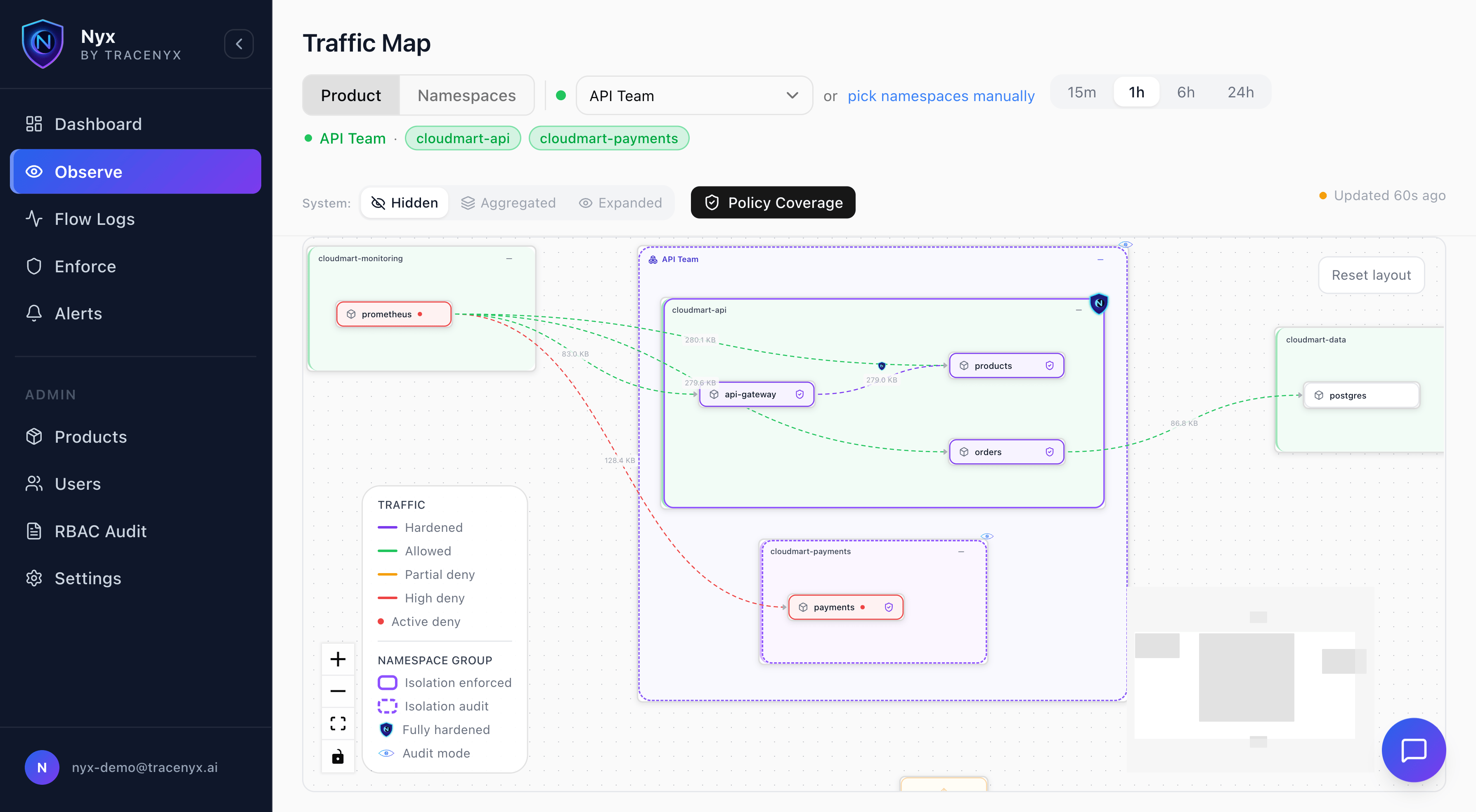 ## What a product gives you
* **A focused view.** Selecting a product scopes the traffic map and dashboards to just its namespaces, so a team sees its own workloads without the noise of the whole cluster.
* **Scoped access.** Members can author alerts and apply policies for the product's namespaces — and only those. No one can accidentally write a rule against a namespace outside their product.
* **Team ownership.** Each product has its own members and owners, so access maps to how your organization is actually structured.
## Permissions
Access in Nyx comes from two places: your organization role and your role within a product.
* **Organization admin** — full access across the organization. Admins manage every product, invite users, and can act on any namespace.
* **Product owner** — manages a product: invites and adds members, and can author alerts and apply policies for the product's namespaces.
* **Product member** — can author alerts and apply policies for the product's namespaces, but can't manage who's in the product.
Invited product users have read-only access everywhere outside their product, so membership grants exactly the access a team needs and nothing more.
| Capability | Org admin | Product owner | Product member |
| ------------------------------------------- | --------- | ------------- | -------------- |
| Manage product membership | ✓ | ✓ | — |
| Author alerts for the product's namespaces | ✓ | ✓ | ✓ |
| Apply policies for the product's namespaces | ✓ | ✓ | ✓ |
| Act across all products and namespaces | ✓ | — | — |
## Inviting people to a product
A product owner — or an organization admin — can invite someone to a product by email. If the person doesn't have a Nyx account yet, they're sent a set-password link and join with read-only organization access plus membership of that product. People who already have access keep it — inviting them to a product never reduces their access.
## Availability
Product membership and roles rely on SSO and RBAC, so they apply on **Sentinel and Aegis**, where you have a team. On **Scout**, which is single-user, a product is simply a way to group namespaces for your own focused view. See [Tiers](/concepts/tiers).
## What a product gives you
* **A focused view.** Selecting a product scopes the traffic map and dashboards to just its namespaces, so a team sees its own workloads without the noise of the whole cluster.
* **Scoped access.** Members can author alerts and apply policies for the product's namespaces — and only those. No one can accidentally write a rule against a namespace outside their product.
* **Team ownership.** Each product has its own members and owners, so access maps to how your organization is actually structured.
## Permissions
Access in Nyx comes from two places: your organization role and your role within a product.
* **Organization admin** — full access across the organization. Admins manage every product, invite users, and can act on any namespace.
* **Product owner** — manages a product: invites and adds members, and can author alerts and apply policies for the product's namespaces.
* **Product member** — can author alerts and apply policies for the product's namespaces, but can't manage who's in the product.
Invited product users have read-only access everywhere outside their product, so membership grants exactly the access a team needs and nothing more.
| Capability | Org admin | Product owner | Product member |
| ------------------------------------------- | --------- | ------------- | -------------- |
| Manage product membership | ✓ | ✓ | — |
| Author alerts for the product's namespaces | ✓ | ✓ | ✓ |
| Apply policies for the product's namespaces | ✓ | ✓ | ✓ |
| Act across all products and namespaces | ✓ | — | — |
## Inviting people to a product
A product owner — or an organization admin — can invite someone to a product by email. If the person doesn't have a Nyx account yet, they're sent a set-password link and join with read-only organization access plus membership of that product. People who already have access keep it — inviting them to a product never reduces their access.
## Availability
Product membership and roles rely on SSO and RBAC, so they apply on **Sentinel and Aegis**, where you have a team. On **Scout**, which is single-user, a product is simply a way to group namespaces for your own focused view. See [Tiers](/concepts/tiers).